
Red Dead Redemption 2 Mods: Best PC Mods, Installation Guide, and Gameplay Upgrades

Introduction
Red Dead Redemption 2 is an acclaimed open-world adventure known for its detailed landscapes, memorable characters, and immersive Wild West atmosphere. However, PC players can take their experience further with community-created modifications that change graphics, improve gameplay, introduce new features, and provide fresh ways to explore the world. These modifications can make a familiar journey through the frontier feel exciting again.
Red Dead Redemption 2 mods range from small quality-of-life improvements to major visual overhauls and gameplay changes. Some focus on realistic lighting, while others adjust character behavior, customize equipment, or add convenient tools for single-player exploration. Before installing anything, players should understand compatibility, installation requirements, and potential risks so they can enjoy a customized experience without unnecessary technical problems.
What Are Red Dead Redemption 2 Mods?
Mods are community-created files that change or expand parts of a video game. Depending on the modification, players may be able to improve textures, adjust camera settings, change gameplay mechanics, customize characters, or access features that are not included in the original release. Most traditional modifications discussed in this guide are intended for the PC version of the game.
Players use modifications for different reasons. Some want more realistic visuals, while others prefer additional control over their character or a more convenient interface. Community sites such as Nexus Mods and RDR2Mods.com provide places to explore available projects, read instructions, and review feedback. Always check the description carefully because a mod may require additional software or work only with a particular game version.
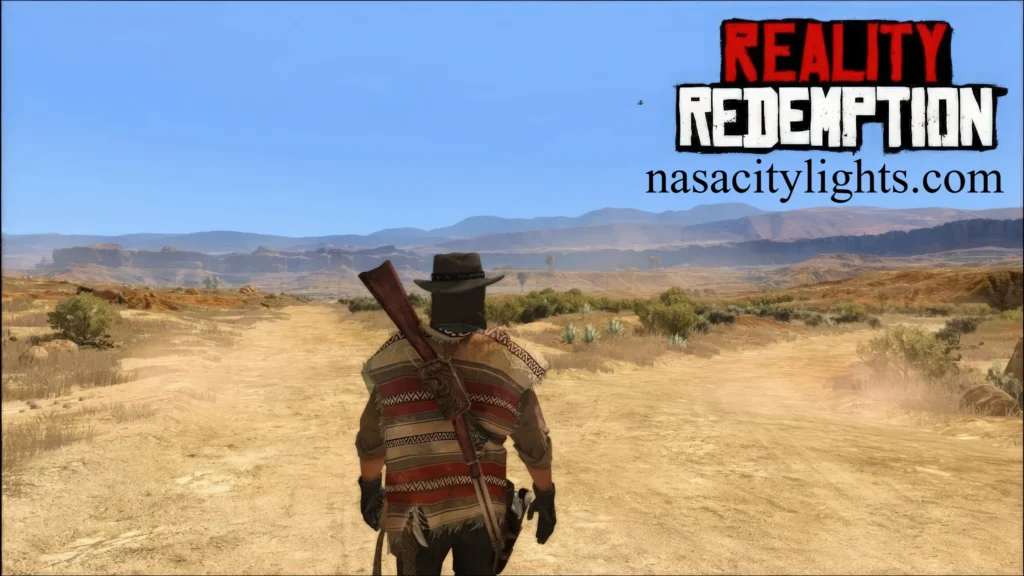
Best Types of Red Dead Redemption 2 Mods
The right modification depends on how you enjoy the game. Players who love exploring mountains, forests, and towns may prefer visual improvements, while those who enjoy experimenting with gameplay might choose trainers or script-based tools. Starting with a specific goal makes it easier to select compatible files and avoid installing unnecessary modifications.
Popular categories include:
- Graphics mods that adjust lighting, colors, textures, and environmental effects.
- Realism mods that change selected gameplay systems or character interactions.
- Quality-of-life mods that improve controls, camera settings, or convenience.
- Character and equipment mods that customize outfits, weapons, and appearance.
- Trainers and script mods that provide additional options in single-player mode.
Read each mod’s description before downloading it. A modification that looks impressive in a video may have different requirements from your installed version, and some visual enhancements demand more powerful hardware. User reviews, update history, and compatibility notes can help you determine whether a particular project is worth trying.
Graphics and Visual Enhancement Mods
Visual modifications are appealing because Red Dead Redemption 2 already features detailed scenery, changing weather, and atmospheric lighting. A carefully selected graphics overhaul can adjust the appearance of sunsets, forests, water, and distant landscapes. Projects such as Visual Redemption aim to alter the game’s visual presentation, although the final results depend on the configuration, hardware, and other installed files.
Before installing a graphics mod, consider your computer’s capabilities. High-resolution textures and demanding visual effects may increase graphics memory usage or reduce frame rates. Players with modest systems should begin with smaller adjustments and test performance before adding more demanding enhancements. Backing up original files and changing one setting at a time makes it easier to identify problems and restore a stable setup.
Realism, Gameplay, and Quality-of-Life Mods
Realism modifications aim to change how the game world looks or behaves. Depending on the available project, these changes might affect environmental details, character reactions, movement, or selected gameplay systems. Such adjustments can create a different atmosphere, especially for players returning to the story after completing it once.
Quality-of-life modifications have a more practical purpose. For example, a camera adjustment can make first-person exploration more comfortable, while other tools may simplify particular actions or provide additional control over single-player gameplay. Always review the exact features rather than relying on a mod’s name alone. Some modifications change only one small detail, while others can influence several connected systems and require additional dependencies.
How to Install Mods on PC
Installing modifications requires care because files may interact with the game’s original systems. The exact process differs by mod, so its official instructions should take priority over a generic guide. Before making changes, confirm which game version you have and make a backup of important files. This preparation can save time if a modification causes a crash or unexpected behavior.
A sensible installation process is:
- Review the mod description, requirements, and compatibility information.
- Download files from a reputable source and scan suspicious downloads.
- Install any required dependencies according to their documentation.
- Place files in the specified folders without replacing unrelated files.
- Launch the single-player game and test the modification.
- Add other mods gradually, checking stability after each change.
Avoid installing many unfamiliar modifications at once. If the game stops launching, disable the most recently added files and consult the mod’s troubleshooting notes. Keep a simple list of installed modifications so you know which files to remove or update when the game changes.
Are Mods Safe to Download?
Modding carries some risk, particularly when files come from unknown websites or unofficial download mirrors. A suspicious installer may contain unwanted software, while an outdated modification can cause crashes, broken features, or conflicts with other files. Choosing established community platforms, reading recent comments, and checking the creator’s instructions can reduce these risks, although no download source guarantees complete safety.
Protect your installation by scanning downloaded files, avoiding unnecessary administrator permissions, and keeping backups of original files. Be cautious with executable files and tools that request access unrelated to their stated purpose. If a mod suddenly behaves differently after a game update, disable it until its creator confirms compatibility. A careful approach is more reliable than downloading every popular modification immediately.
Mods vs. Cheats in Red Dead Redemption 2
Mods and built-in cheat codes are different ways of changing the usual gameplay experience. Cheats are included within the game and provide selected effects, while modifications are created externally and can introduce a much wider range of changes. A mod may adjust visuals or camera behavior, for example, while a trainer may offer several additional controls in single-player mode.
The best option depends on what you want to achieve. Built-in cheats may be easier for occasional experimentation, while mods offer more customization. However, cheats can affect saving or achievement availability, depending on how the game handles them, and third-party tools introduce compatibility considerations. Check the instructions for the specific feature you intend to use before changing your game.
PC and PS5 Mod Compatibility
The PC version provides access to traditional file-based modifications because players can work with supported game files and third-party tools. PlayStation 5 does not provide the same open file access, so PC modifications generally cannot be installed on the console in the same way. A guide written for PC should not be treated as a universal set of instructions for every platform.
Console players can still enjoy the original game’s built-in features, but they should be cautious of websites promising simple downloads that unlock PC-style modding on PS5. Verify platform compatibility before following any instructions, and avoid tools that ask for account credentials or unusual permissions. Understanding these differences prevents wasted effort and helps protect your device and account.
Red Dead Online and Modding Risks
Single-player modifications should not automatically be used in Red Dead Online. Online play involves other players, shared systems, and platform rules that differ from the story campaign. Unauthorized tools can create unfair advantages, disrupt other players, or put an account at risk of enforcement action.
For a safer experience, keep experimentation focused on Story Mode and review Rockstar’s current policies before using third-party tools. Disable modifications when preparing to play online, and follow the relevant tool documentation rather than assuming that removing a visible file is always sufficient. If you are unsure whether a modification is allowed, avoid using it in multiplayer until you have reliable guidance.
Common Mod Problems and Their Fixes
A modification may fail because it is outdated, installed in the wrong location, missing a required dependency, or conflicting with another file. Symptoms can include crashes at startup, features that never appear, visual glitches, or unexpectedly poor performance. These issues do not necessarily mean the game installation is permanently damaged.
Begin troubleshooting by disabling recently installed modifications and checking whether the original game launches correctly. Review the mod’s compatibility notes and confirm that all required components are present. If the problem continues, restore your backup or use the game platform’s file-verification feature where available. Reinstalling everything should be a last resort after simpler causes have been investigated.
Choosing the Right Mods for Your Play Style
A good mod list should improve the experience you want rather than simply contain as many downloads as possible. If you enjoy photography and exploring scenery, focus on visual changes. If you prefer story-driven gameplay, look for carefully documented immersion and quality-of-life projects. Players who enjoy experimentation may be interested in trainers, provided they understand the requirements and keep them out of online play.
Before choosing a file, check its compatibility, recent feedback, dependencies, and installation instructions. Install a few modifications first and test them before expanding your collection. This approach makes conflicts easier to identify and helps maintain stable performance. It also gives you a clearer idea of which changes genuinely improve your experience and which ones you would rather remove.
Conclusion
Red Dead Redemption 2 mods can refresh the experience with visual enhancements, gameplay adjustments, camera improvements, and additional single-player options. The most suitable choices depend on your interests, computer hardware, and the version of the game you have installed. Community resources such as Nexus Mods and RDR2Mods.com can help you discover projects and understand their requirements.
For the best results, download carefully, read compatibility notes, back up important files, and test modifications individually. Remember that traditional PC mods generally do not work on PS5 in the same way, and unauthorized modifications can create risks in Red Dead Online. With a cautious approach, players can personalize their single-player adventure while reducing avoidable technical problems.
Frequently Asked Questions
Can Red Dead Redemption 2 be modded?
Yes, the PC version supports community-created modifications for graphics, gameplay, camera settings, and other features.
Where can I find Red Dead Redemption 2 mods?
You can browse community resources such as Nexus Mods and RDR2Mods.com, checking each download’s instructions and compatibility.
Are Red Dead Redemption 2 mods free?
Many mods are available for free, although individual sites may offer optional memberships or creator-support features.
Can I install PC mods on PS5?
Traditional PC file-based mods generally cannot be installed on PS5 in the same way.
Are mods safe to download?
They can be safe when sourced carefully, but you should scan downloads, avoid suspicious installers, and back up important files.
Can mods get me banned from Red Dead Online?
Unauthorized modifications may put your account at risk, so avoid using them online and review Rockstar’s current policies.
Do mods affect game performance?
Yes, especially graphics-intensive mods, which may increase hardware demands or reduce frame rates.
What should I do if a mod causes a crash?
Disable the latest modification, check its requirements and compatibility, and restore your backup if necessary.
Author Name: Hamid Ali
Email: johanharwen314@gmail.com
Also Read: