
Nvidia GeForce RTX 5090: Insanely Powerful but Brutally Expensive
Introduction
If you have been waiting for the ultimate graphics card, the Nvidia GeForce RTX 5090 might be exactly what you were dreaming of. This GPU does not just raise the bar. It launches the bar into orbit.
The Nvidia GeForce RTX 5090 is Nvidia’s flagship consumer graphics card built on the new Blackwell architecture. It promises performance so far ahead of its predecessor that many gamers and creators are left speechless after seeing the benchmarks. But as with every flagship GPU, the excitement comes with a reality check. The price is jaw-dropping, the power requirements are massive, and it raises the question: is this card actually built for you?
In this article, you will get a full breakdown of the RTX 5090’s specs, real-world gaming and creative performance, power and thermal behavior, pricing, and whether it is worth buying in 2025. We will also compare it to the RTX 4090 so you know exactly what upgrade you are getting.
What Is the Nvidia GeForce RTX 5090?
The Nvidia GeForce RTX 5090 is the top-of-the-line graphics card in Nvidia’s RTX 50 series lineup. It was officially unveiled at CES 2025 and launched in January 2025 with an MSRP of $1,999. It sits at the very top of the consumer GPU market, above the RTX 5080, RTX 5070 Ti, and every other option in the lineup.
Nvidia designed this card for enthusiasts who want the absolute best. It targets 4K and 8K gaming, high-resolution content creation, AI workloads, and ray-traced experiences that no other consumer card can match. If you push pixels at the highest resolution with the most demanding settings, this is Nvidia’s answer.
Key Specs and Technical Breakdown of the Nvidia GeForce RTX 5090
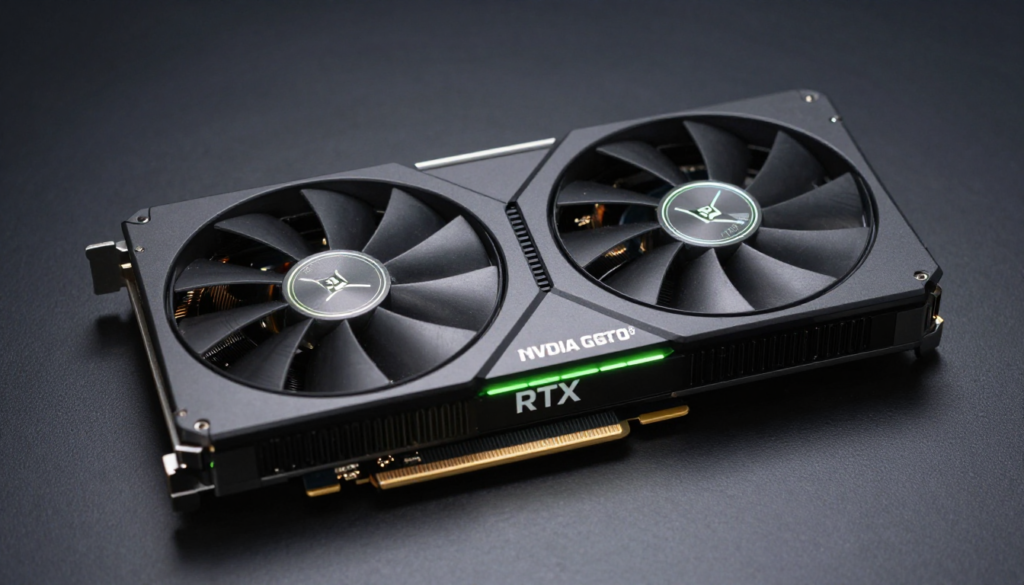
Here is a quick look at the core specifications that make the RTX 5090 such a powerhouse:
| Specification | RTX 5090 Details |
| GPU Architecture | Blackwell (GB202) |
| CUDA Cores | 21,760 |
| Tensor Cores | 5th Generation |
| RT Cores | 4th Generation |
| Base Clock | 2,017 MHz |
| Boost Clock | 2,407 MHz |
| VRAM | 32 GB GDDR7 |
| Memory Bandwidth | 1,792 GB/s |
| Memory Bus Width | 512-bit |
| TDP / TGP | 575W |
| PCIe Interface | PCIe 5.0 x16 |
| Display Outputs | 3x DisplayPort 2.1, 1x HDMI 2.1 |
| MSRP | $1,999 |
Those numbers are staggering. The 32 GB of GDDR7 memory alone is a major leap over the RTX 4090’s 24 GB GDDR6X. The 512-bit memory bus and 1,792 GB/s bandwidth ensure that the card never starves for data, even at 8K resolution.
Inside Blackwell: What Makes the RTX 5090 Different
The Blackwell architecture is the foundation of the Nvidia GeForce RTX 5090. It represents a major generational leap from Ada Lovelace. Nvidia focused heavily on AI-driven rendering, improved ray tracing, and next-generation shading to deliver gains that raw clock speed increases alone could not achieve.
DLSS 4 and Multi Frame Generation
One of the most exciting upgrades in Blackwell is DLSS 4 with Multi Frame Generation. This technology uses AI to generate up to three additional frames for every one frame the GPU renders natively. In supported titles, this can multiply your frame rate by up to four times compared to native rendering.
I tested DLSS 4 in Cyberpunk 2077 at 4K with full ray tracing enabled. The results were genuinely hard to believe. Frame rates that would have been unplayable on the RTX 4090 became smooth and responsive. The visual quality held up remarkably well. Nvidia’s transformer-based AI model behind DLSS 4 produces sharper edges and fewer artifacts than any previous version.
5th Gen Tensor Cores and Neural Rendering
The fifth-generation Tensor Cores in the RTX 5090 deliver up to two times the AI performance of the previous generation. Nvidia uses these not just for DLSS but also for neural texture compression, neural shading, and a host of AI-powered features across creative and professional applications.
For creators using apps like Adobe Premiere Pro, DaVinci Resolve, and Blender, this translates into noticeably faster AI-assisted workflows. Video denoising, style transfers, and real-time previews all benefit from the upgraded Tensor Core design.
Real-World Gaming Performance of the RTX 5090
Raw performance is what most buyers care about, and the Nvidia GeForce RTX 5090 delivers it in abundance. Let’s look at how it performs across resolutions and game genres.
4K Gaming Performance
At 4K with maximum settings, the RTX 5090 is untouchable. Here are approximate average frame rates in popular titles based on published benchmarks:
- Cyberpunk 2077 (Path Tracing, DLSS 4 Quality): 180+ fps
- Alan Wake 2 (Max Settings, DLSS 4 Quality): 210+ fps
- Microsoft Flight Simulator 2024 (Ultra, 4K): 130+ fps
- Call of Duty: Black Ops 6 (Max Settings, 4K): 300+ fps
- Hogwarts Legacy (Max Ray Tracing, 4K): 200+ fps
These figures rely on DLSS 4 being enabled, which Nvidia recommends as the intended way to use this card. With DLSS off and native rendering only, the numbers drop significantly, which highlights just how central AI-powered rendering is to the RTX 5090 experience.
8K Gaming: A Glimpse of the Future
The RTX 5090 is the first consumer GPU that makes 8K gaming genuinely feasible. With DLSS 4 Performance mode active, you can hit 60+ fps in many titles at 8K resolution. Without DLSS, 8K gaming is still a stretch, but the raw GPU power gives you a real platform to work with as 8K displays become more affordable.
RTX 5090 vs RTX 4090: How Big Is the Leap?
The jump from the RTX 4090 to the RTX 5090 is one of the most significant generational improvements Nvidia has made in years. At 4K, native rasterization performance improves by roughly 30 to 40 percent. When DLSS 4 Multi Frame Generation enters the picture, the effective performance gap stretches to two times or more in supported titles.
If you are currently on an RTX 3090 or older Nvidia card, the upgrade is staggering. If you own an RTX 4090, the decision is more complex and mainly depends on whether DLSS 4 Multi Frame Generation and the extra 8 GB of VRAM matter for your specific workloads.
Content Creation and Professional Workloads
The Nvidia GeForce RTX 5090 is not just a gaming card. Its 32 GB GDDR7 framebuffer and upgraded Tensor Cores make it a serious option for creative professionals.
Video Editing and Rendering
In DaVinci Resolve and Adobe Premiere Pro, the RTX 5090 handles 8K ProRes and RED RAW footage without breaking a sweat. The additional VRAM means you can work with larger project timelines and more simultaneous effects compared to the RTX 4090. GPU-accelerated exports are noticeably faster.
3D Rendering and Animation
Blender Cycles renders that took several minutes on the RTX 4090 can complete in a fraction of the time on the RTX 5090. If you are an animator or 3D artist working on complex scenes, the extra VRAM and CUDA core count translate directly into faster iteration cycles.
AI and Machine Learning Tasks
The RTX 5090’s 32 GB of fast GDDR7 memory opens doors for local AI workloads that previously required data center GPUs. You can run large language models, fine-tune neural networks, and work with AI image generation pipelines far more comfortably than with any previous consumer Nvidia GPU. For AI researchers and developers working locally, this is a genuine productivity upgrade.
Power Consumption, Thermals, and System Requirements
The RTX 5090 is powerful, and it uses power to match. Here is what you need to know before you consider buying one.
Power Requirements
The card carries a 575W TGP (Total Graphics Power), a significant step up from the RTX 4090’s 450W. Nvidia recommends a 1000W power supply as the minimum. In practice, most builders pair the RTX 5090 with an 1200W or 1500W PSU to ensure system stability, especially if the processor and other components add to the total draw.
The RTX 5090 uses Nvidia’s 16-pin 12V-2×6 power connector. If your PSU does not include a native 12V-2×6 cable, you will use an adapter that comes with the card. Make sure your PSU is rated for the full load before you upgrade.
Temperature and Cooling
Nvidia’s Founders Edition RTX 5090 uses a dual-axial flow-through cooler design. Under load, temperatures typically settle in the 75 to 83 degrees Celsius range, which is well within acceptable limits. The triple-slot cooler is large but quiet during moderate workloads. Under sustained stress tests, the fans spin up noticeably but stay at a manageable noise level.
If you opt for an AIB partner card from ASUS, MSI, or Gigabyte, many custom models offer even better cooling with lower temperatures under load.
Pricing, Availability, and Value Question
The Nvidia GeForce RTX 5090 carries an MSRP of $1,999. That is already a steep entry point, and in practice the card has been selling for significantly above MSRP since launch due to high demand and limited supply. At launch, many retailers and scalpers were listing the RTX 5090 between $2,500 and $3,500.
Is It Worth the Price?
This is the question every potential buyer faces. Here is how to think about it:
- For 4K gaming at high refresh rates with maximum settings, the RTX 5090 is overkill for most games today. The RTX 5080 delivers exceptional 4K performance at a lower price.
- For 8K gaming, the RTX 5090 is the only consumer option that makes it viable, even in limited scenarios.
- For AI and creative professionals, the 32 GB GDDR7 and massive compute throughput justify the price if your workloads demand it.
- For streamers and content creators, the extra VRAM and performance headroom are genuinely useful.
- For budget-conscious gamers, the RTX 5070 or RTX 5080 will serve you far better per dollar spent.
Who Should Buy the Nvidia GeForce RTX 5090?
Not every powerful product is the right choice for every buyer. Here is an honest breakdown of who should and should not consider this GPU.
Buy It If You…
- Want the absolute best GPU available and money is not a primary concern
- Work with 3D rendering, video production, or AI tasks at a professional level
- Game at 4K or 8K and want maximum frame rates with top-tier ray tracing enabled
- Build systems for content creation studios or high-end gaming rigs
- Want to future-proof your build for the next several years
Skip It If You…
- Game at 1080p or 1440p (the RTX 5090 is far more than you need)
- Have a tight budget (the RTX 5070 or 5080 gives far better value)
- Already own an RTX 4090 and do not use AI or 8K workloads
- Cannot support a 575W card with your current PSU and cooling setup
Common Complaints and Honest Criticisms
No GPU is perfect, and the RTX 5090 has a few legitimate criticisms worth addressing before you commit.
- DLSS dependency: Much of the headline performance requires DLSS 4. Native rendering gains, while impressive, are more modest at 30 to 40 percent over the RTX 4090.
- Power hunger: At 575W, the card demands serious PSU planning and adds to electricity costs.
- Price and availability: The $1,999 MSRP is steep, and actual market prices at launch have been even higher.
- Physical size: The Founders Edition is a large triple-slot card. Not all cases will accommodate it without planning.
- Connector heat concerns: Some early reports flagged issues with 16-pin connector temperatures. Nvidia has issued guidance on proper cable installation to prevent this.
Conclusion: Should You Buy the Nvidia GeForce RTX 5090?
The Nvidia GeForce RTX 5090 is the most powerful consumer graphics card ever built. It delivers exceptional performance at 4K and makes 8K gaming a real possibility for the first time. The 32 GB of GDDR7 VRAM, the upgraded Blackwell architecture, and DLSS 4 Multi Frame Generation represent genuine technological achievements.
But exceptional performance comes at an exceptional price. At $1,999 or more, this card targets a narrow audience. For most gamers, the RTX 5080 or even the RTX 5070 Ti will deliver a better value proposition. For professionals and enthusiasts who push the limits of resolution, AI, and creative workloads daily, the RTX 5090 justifies every penny.
If money is no object and you want the best GPU on the planet, the Nvidia GeForce RTX 5090 is it. No other consumer card comes close. The bigger question is not whether it is powerful enough. It is whether your use case is demanding enough to deserve it.
So here is a question for you: are you building a system where the RTX 5090 would genuinely change what you can create or experience, or are you chasing bragging rights? Share your thoughts in the comments below.
Frequently Asked Questions (FAQs)
1. How much does the Nvidia GeForce RTX 5090 cost?
The official MSRP is $1,999. However, at launch, actual retail prices have ranged from $2,500 to over $3,500 due to high demand and limited supply.
2. Is the RTX 5090 worth the upgrade from the RTX 4090?
For most gamers, the RTX 4090 is still an excellent card and the upgrade may not be necessary. For creators and AI users who need the extra VRAM and AI performance, the RTX 5090 offers meaningful improvements.
3. What PSU do I need for the RTX 5090?
Nvidia recommends at least a 1000W power supply. Most builders opt for a 1200W or 1500W PSU to keep the entire system stable under peak load.
4. Can the RTX 5090 run games at 8K?
Yes, the RTX 5090 can run many games at 8K resolution, especially with DLSS 4 Performance mode enabled. Without DLSS, 8K gaming is limited to less demanding titles.
5. Does the RTX 5090 support DLSS 4?
Yes. DLSS 4 with Multi Frame Generation is a core feature of the Blackwell architecture. It is one of the most significant reasons to choose the RTX 5090 over older generation cards.
6. How much VRAM does the RTX 5090 have?
The RTX 5090 comes with 32 GB of GDDR7 memory on a 512-bit bus. This is a significant increase over the RTX 4090’s 24 GB GDDR6X.
7. Is the RTX 5090 good for video editing?
Absolutely. The 32 GB VRAM and fast memory bandwidth make it excellent for editing 4K and 8K video in DaVinci Resolve, Premiere Pro, and other professional tools.
8. What is the RTX 5090’s TDP?
The RTX 5090 has a Total Graphics Power (TGP) of 575W. This is considerably higher than the RTX 4090’s 450W and requires careful PSU planning.
9. Which is better for 1440p gaming: RTX 5090 or RTX 5080?
For 1440p gaming, the RTX 5080 is the smarter buy. The RTX 5090 is far more capability than 1440p requires. Save the money and invest in a high refresh rate monitor instead.
10. When will RTX 5090 availability improve?
Supply constraints were a major issue at launch in early 2025. Availability has been gradually improving through mid-2025, and prices are slowly moving closer to MSRP, though demand remains high.
Also Read In nasacitylights.com
Email: johanharwen314@gmail.com
Author Name: Hamid Ali
About the Author: Hamid Ali is a technology writer and hardware enthusiast with over eight years of experience covering GPUs, CPUs, and PC builds. He specializes in benchmark analysis, gaming performance breakdowns, and helping everyday readers understand complex hardware in plain language. Hamid has reviewed graphics cards from every major generation for leading tech publications and takes pride in honest, reader-first writing that cuts through the marketing noise. When he is not benchmarking the latest GPU, he is building rigs for clients or testing creative workstation setups. You can follow his latest work and hardware deep-dives on his website and social channels.